UNIVERSITY OF KOBLENZ
Universitätsstraße 1
56070 Koblenz

You are obliged to immediately notify changes to your name to the Student Registrar's Office and to update changes of address on eCampus.
To change your address or other contact details like your personal email address log into eCampus and click the 'Menü' Button on the top left. Then navigate via 'My Studies' > 'Student Service' to the section 'Contact data' . To change an entry please click the pencil icon, then again in the pop-up and click 'save' after changing your address. Your details will only be updated once you have clicked the 'save'-button.
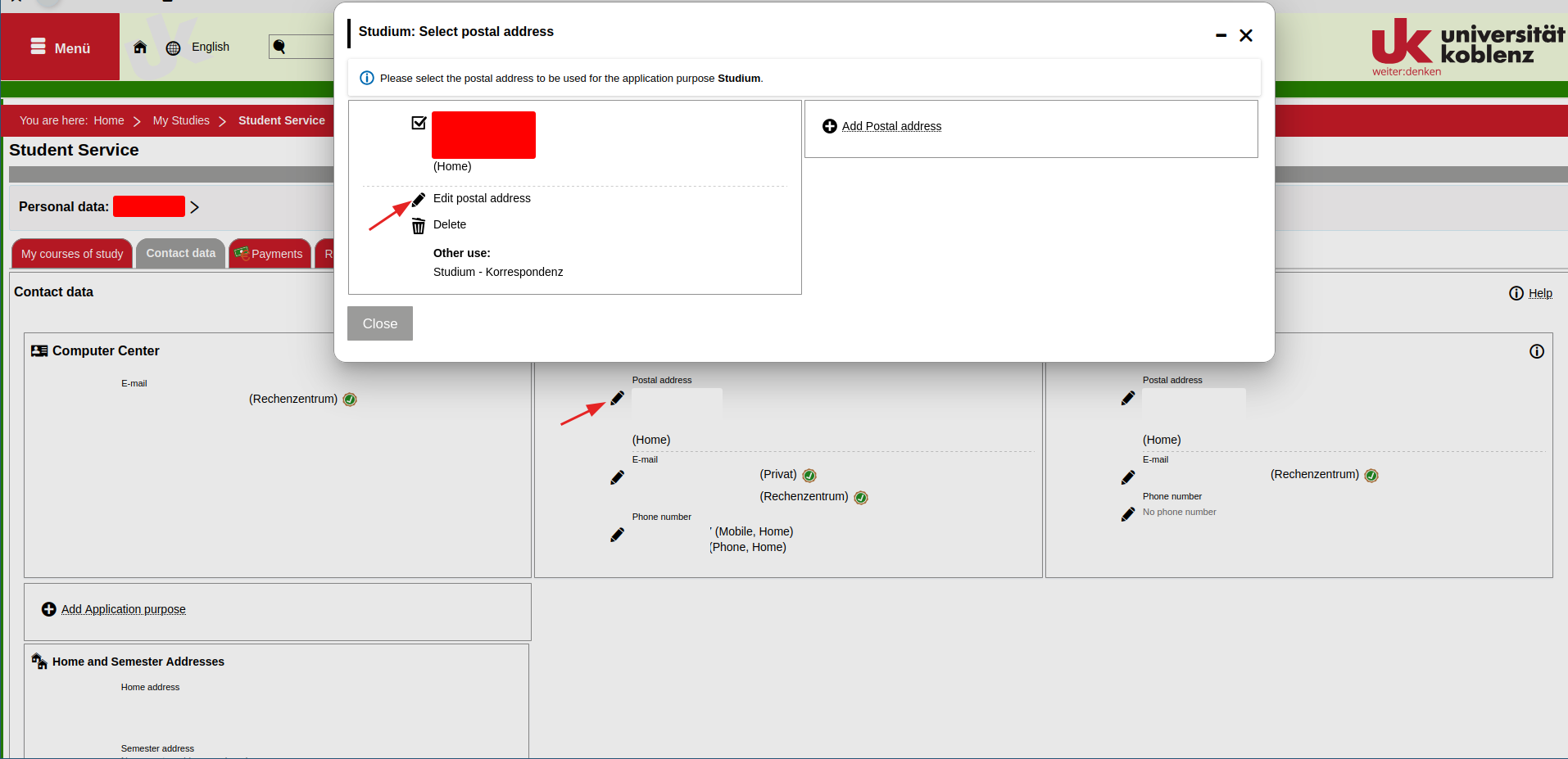
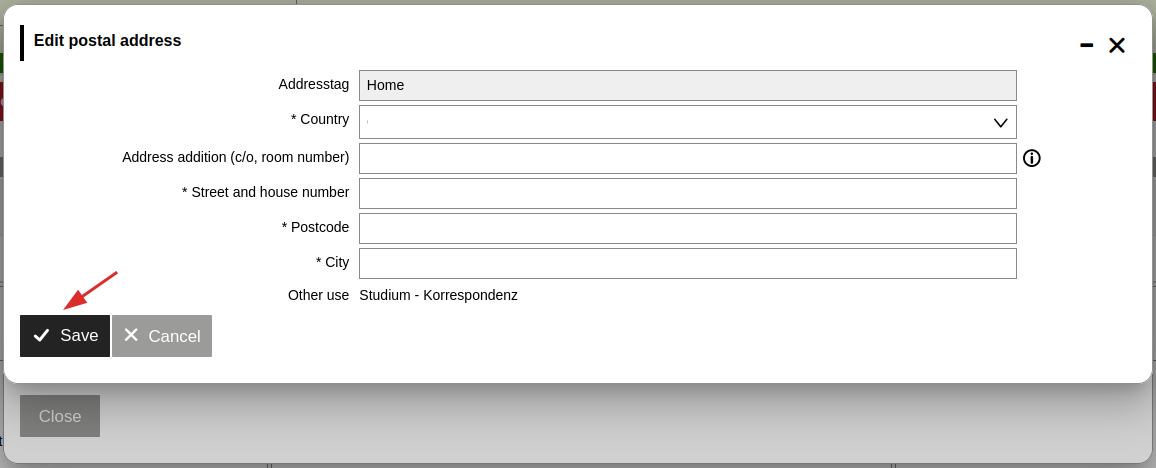
Unfortunately we currently only provide detailed instructions on navigating eCampus in German. The English version will be available shortly.
However, the images in the German instruction may help you navigate the website.
Log into eCampus and click the 'Menü' button on the top left. Select 'Service', then 'Request' and then 'Changes to personal data'. On the page 'Changes to personal data' you can view the status on a submitted request or create a new request. Click on 'Create new request' and enter the personal details to be updated in the form. Then upload the relevant supporting documentation, check whether the provided information is correct and confirm submission of your request by clicking the ‘Submit request’ button.
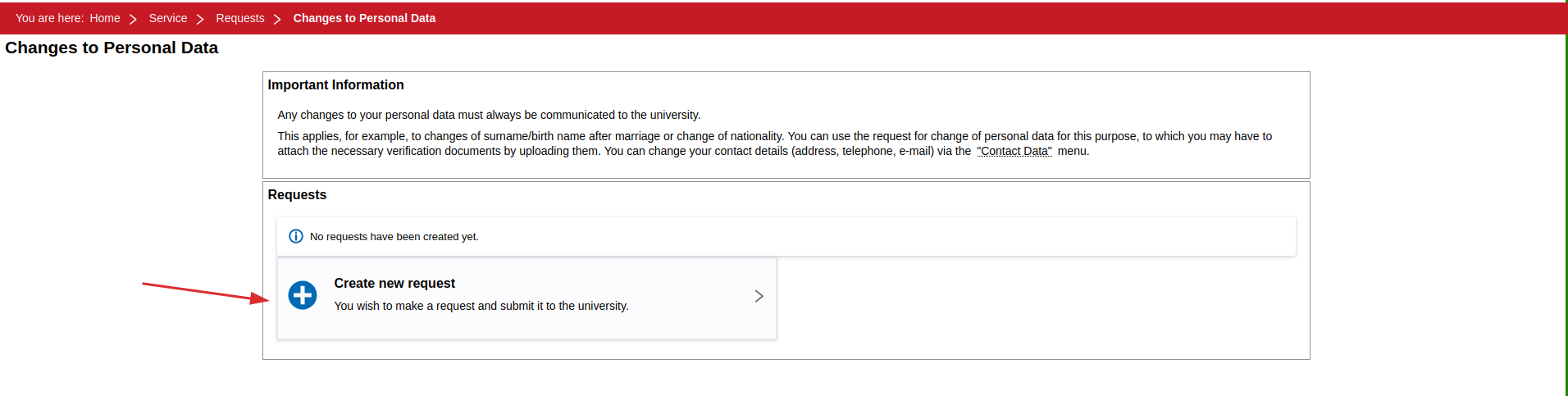
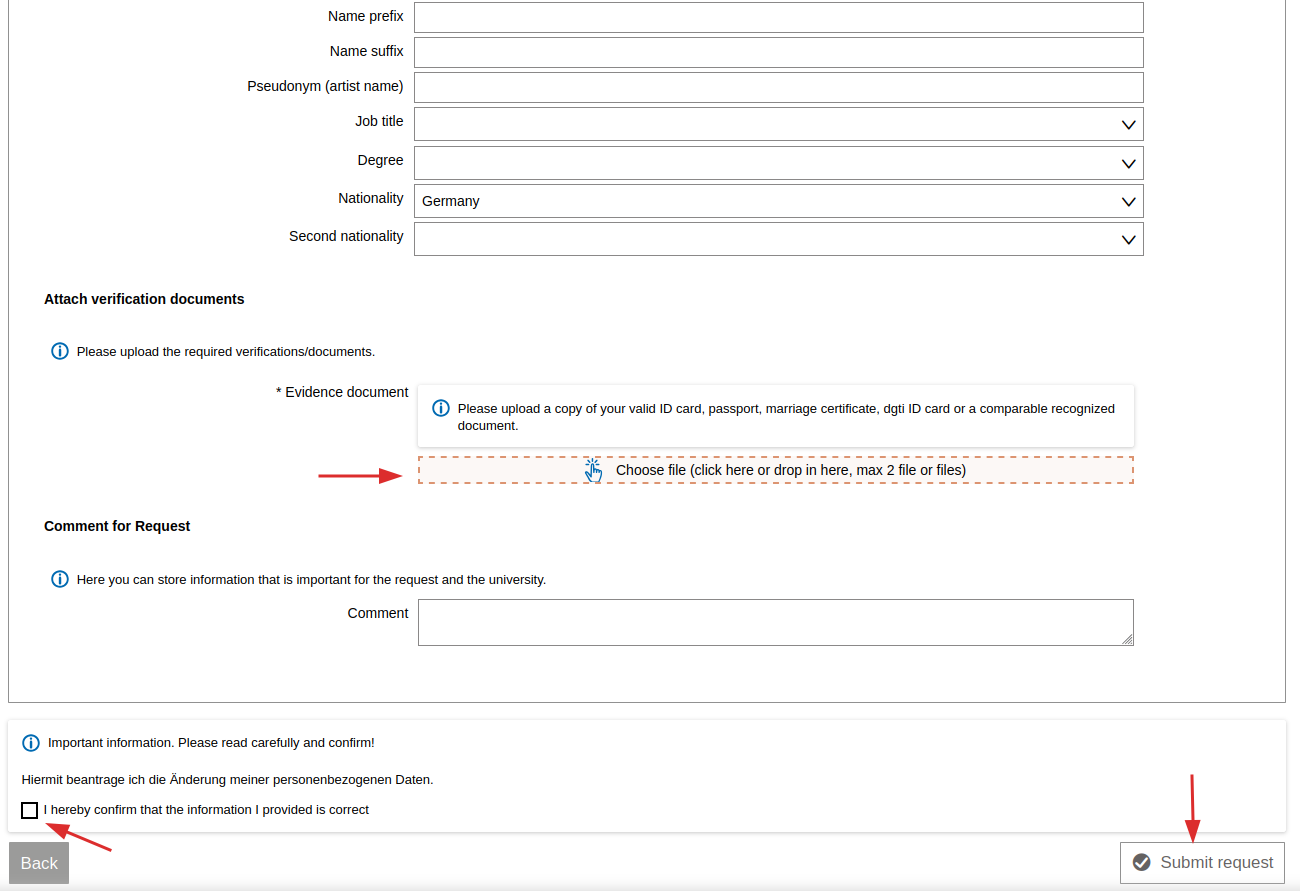
Unfortunately we currently only provide detailed instructions on navigating eCampus in German. The English version will be available shortly.
However, the images in the German instruction may help you navigate the website.
UNIVERSITY OF KOBLENZ
Universitätsstraße 1
56070 Koblenz
© Universität Koblenz