UNIVERSITY OF KOBLENZ
Universitätsstraße 1
56070 Koblenz

To do this, first call up the relevant course as described here and copy the corresponding exam number under "Exams/Modules". As in the example below, an exam can have different exam numbers and you have to choose the correct exam number depending on your degree program.
Example: If your're studying computer visualistics according to the examination regulations of the faculty 4 (computer science). In this case, you have to copy exam number 411006 in the following example:
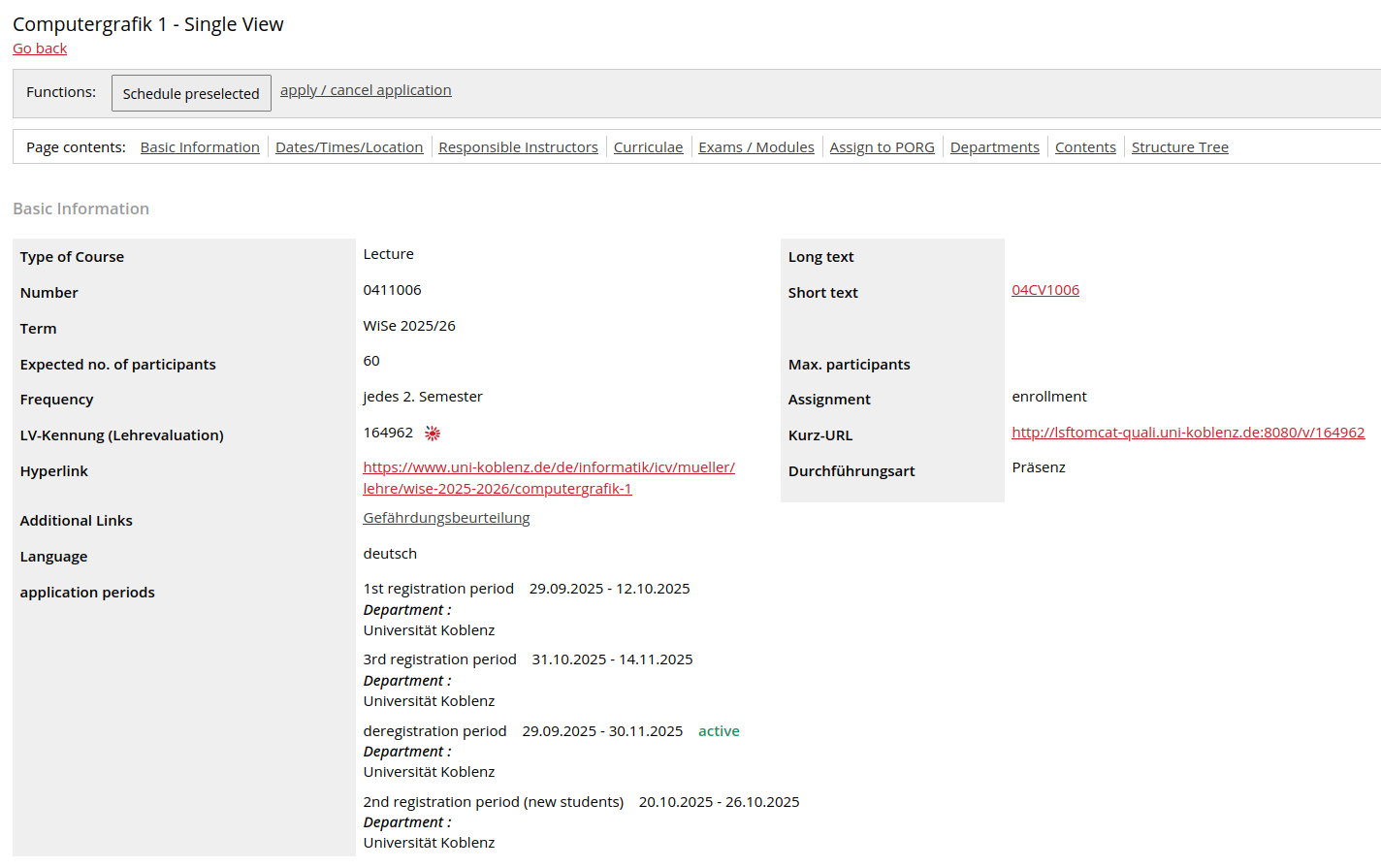
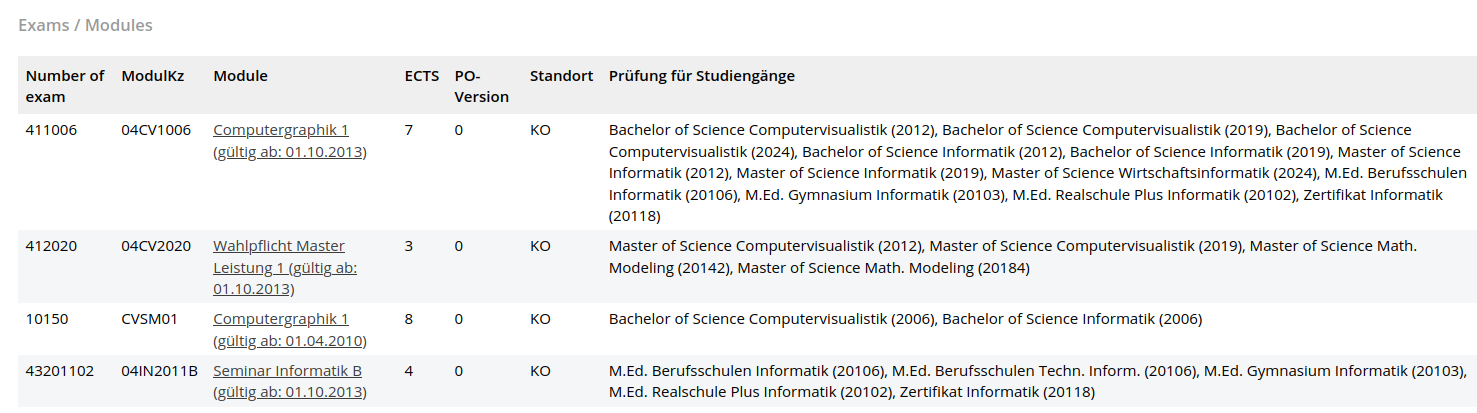
To register for exams of your study program, go to My Functions -> Administration of exams -> Apply for exams. Please, mind you need to read and accept the formal information concerning the registration for exams.
If you know the correct exam number for the exam you want to register for, you can work your way through the exam tree of your study program as follows. Example: exam number 441006 in the study course "Bachelor Computer Visualistics" according to the examination regulation of the faculty 4 (computer science) in the version of 2024:
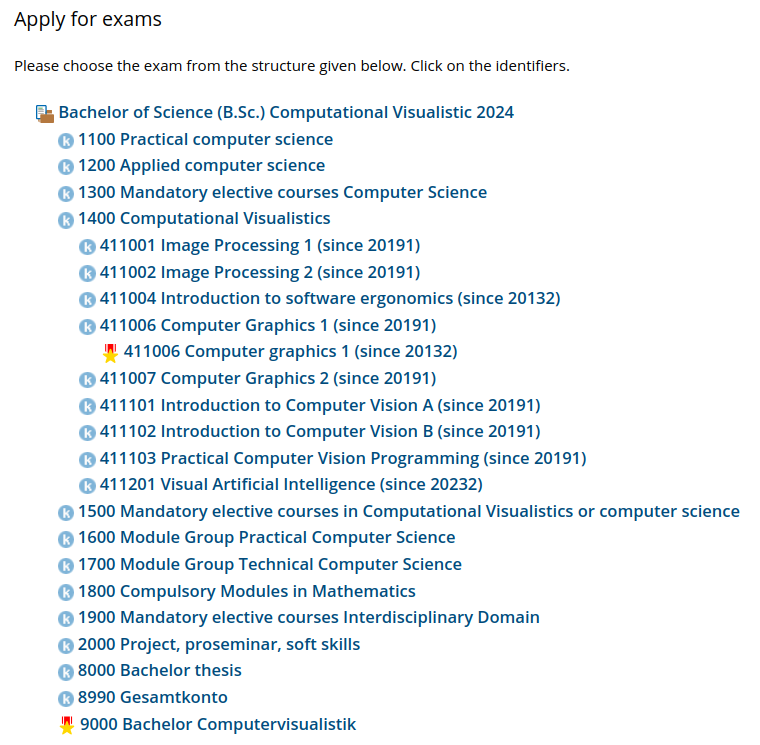
In the above exam tree, you can see that symbols appear before the exams or module accounts, for example "k" and an order star. You can find out what these symbols mean by moving the mouse cursor over the symbol or, on touchscreen displays, tapping and holding the corresponding symbol.
If the symbol "x" appears before an exam in the above exam tree, this states that you have registered for this exam in a different module account, and maybe passed or failed. Thus, you are not able to register for this exam from the current point in the exam tree. If you wish to register for a repitition or to deregister from a currently still open deregistration, you need to follow the same path as for your first registration for the respective exam (through navigating via the same module account you did at your first registration). If you have changed your degree program, please contact the Examinations Office for the acknowledgement of your previous records.
Go to the exam for which you want to register and click on "Registration". This won't be possible if the registration period is not active or if the limit of places has been reached.
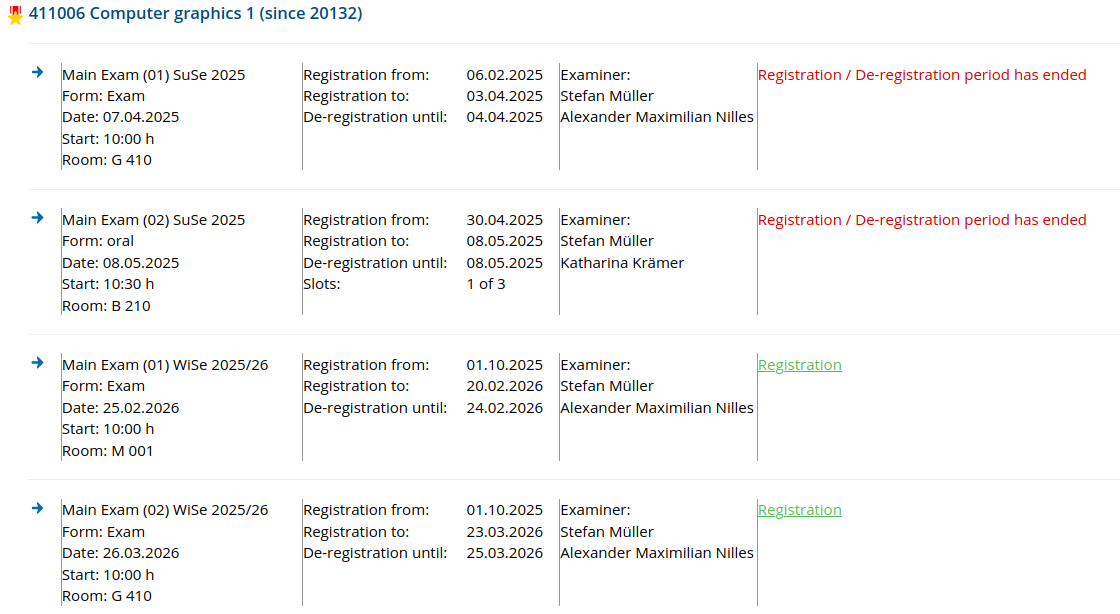
After clicking on "Registration", you have to confirm the registration:
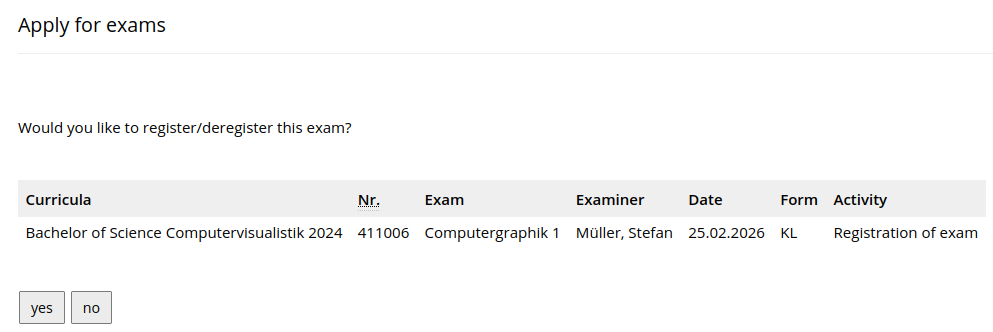
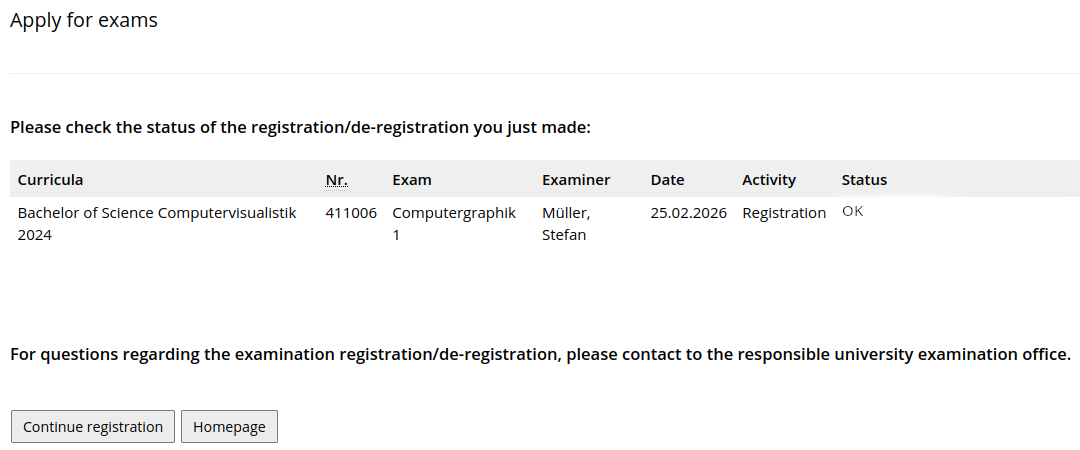
After the confirmation, you will the the following:
If no examination organization records can be "expanded" or if there are no current examination organization records, please contact the examiners and ask them to create the respective examination organization record for your degree program if necessary.
If the exam registration was successful, you should receive a confirmation email to your university email address. In addition, the exam you just registered for must be listed under My Functions -> Administration of exams -> Info on exams (internship). Please check whether this is the case. If not, please try to repeat the registration as described above.
UNIVERSITY OF KOBLENZ
Universitätsstraße 1
56070 Koblenz
© Universität Koblenz